Settings
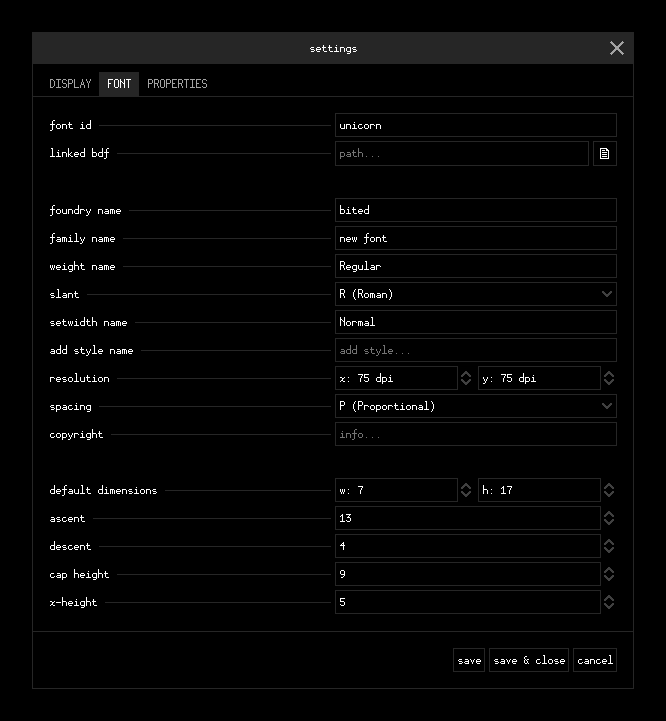
After opening up unicorn and getting to the Main Screen, the first thing we'll
do is open the Settings Menu (Ctrl+,). Verify that it's on the FONTS
tab.
Tip
Hover over each settings field's label to get more information about that field!
foundry name
By default, this is bited. Feel free to change this to something more
personalized if you wish.
family name
By default, this is new font. Let's change this to unicorn.
Note
If you didn't choose a preset when creating the font, the following metrics
fields will be 0.
Metrics
Let's set:
- Default dimensions to width
7and height17. - Descent to
4(ascent will automatically update accordingly). - Cap height to
9. - X-height to
5.
Once you've finished changing the settings, save & close (Ctrl+Enter) to go back to the Main Screen.